
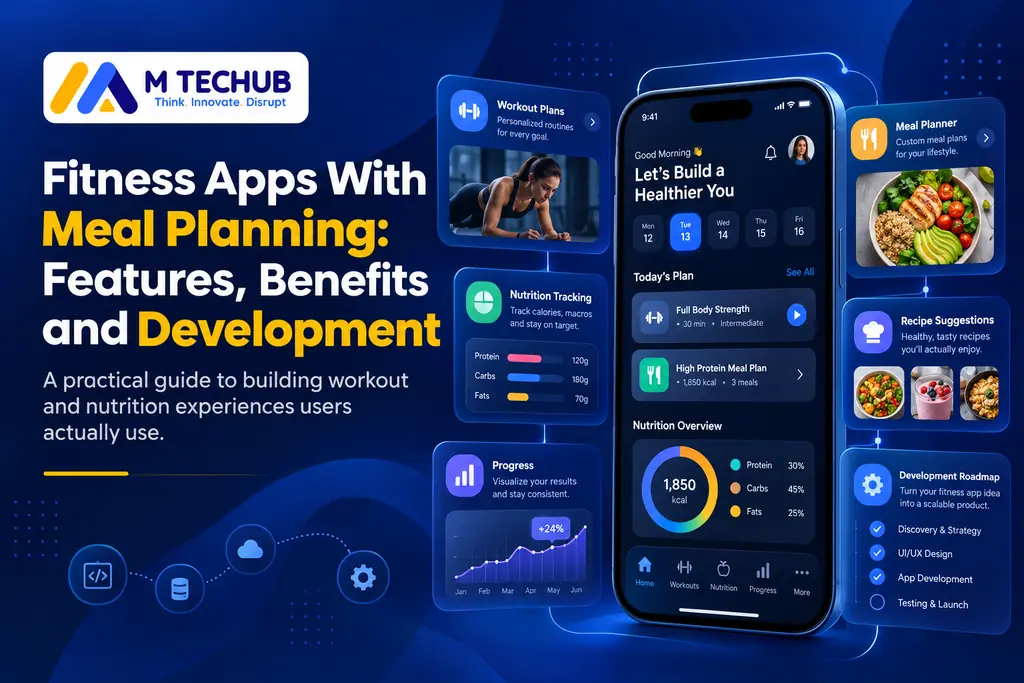
Managing workouts and nutrition through separate apps can make fitness planning complicated. Users may track exercises in one app, record meals in another, and struggle to see their overall progress.
Fitness apps with meal planning combine workout scheduling, nutrition tracking, and progress monitoring in one platform. A meal and exercise planner helps users organize daily routines, plan meals, and adjust their fitness activities around personal goals.
For US fitness enthusiasts, personal trainers, gyms, and startups, these applications offer a more convenient way to manage fitness activities and deliver personalized digital services.
What Are Fitness Apps With Meal Planning?
A fitness app with meal planning is a mobile application that connects exercise programs with nutrition planning and progress tracking.
Unlike a standalone meal planner, which focuses on food scheduling, or an exercise routine planner, which manages workouts, an integrated fitness app brings both functions together.
| Standalone fitness tools | Integrated fitness app |
|---|---|
| Separate workout and meal records | Workouts and meal plans in one platform |
| Independent progress dashboards | Combined activity and nutrition summaries |
| Manual coordination between apps | Connected planning workflows |
| Limited visibility across activities | Easier review of overall fitness habits |
An integrated app does not automatically produce better fitness outcomes, but it can make planning and tracking more convenient.
How Does a Meal and Exercise Planner Work?
Most applications follow a simple process:
- Profile setup: Users enter fitness goals, exercise preferences, dietary restrictions, and training experience.
- Workout planning: The app organizes exercises based on schedules, equipment, and user preferences.
- Meal planning: Users select recipes, schedule meals, and track estimated calories and macronutrients.
- Progress tracking: The app records completed workouts, food intake, and activity history.
- Plan adjustments: Users modify their routines based on feedback and changing needs.
Practical example: A US gym member’s weekly routine
Consider a member of a fitness studio in California who trains three times per week.
The member schedules strength workouts, creates a weekly gym meal plan, and logs meals using nutritional information from a food database.
If a planned exercise becomes unavailable, the app suggests an alternative. At the end of the week, the member reviews workout completion and food logs to identify where their routine needs adjustment.
This connected experience is the main advantage of combining exercise and nutrition planning.
Essential Features of Fitness Apps With Meal Planning
A useful application should prioritize everyday functionality rather than adding features users rarely need.
| Feature | User benefit |
|---|---|
| Workout planner | Schedule exercises and training routines |
| Meal planner | Organize daily and weekly meals |
| Calorie and macro tracking | Estimate calories, protein, carbohydrates, and fats |
| Progress dashboard | Review workout and nutrition history |
| Grocery lists | Generate shopping lists from meal plans |
| Personalized recommendations | Suggest workouts and meals based on preferences |
| Wearable integration | Connect supported health and activity data |
| Smart reminders | Receive optional workout and meal notifications |
Which features should startups build first?
For a minimum viable product (MVP), focus on solving the core user problem.
| MVP features | Future enhancements |
|---|---|
| User profiles | AI fitness assistant |
| Workout scheduling | Advanced wearable analytics |
| Meal planning and logging | Social challenges |
| Basic nutrition tracking | Adaptive recommendation engines |
| Progress history | Advanced coaching dashboards |
For example, a US startup developing a subscription-based fitness app should first verify that users regularly create plans, complete workouts, and log meals before investing in expensive AI functionality.
Benefits of Combining Workout and Meal Planning
Better daily organization
Users can manage their workouts and nutrition plans without switching between multiple applications.
More relevant fitness planning
An app can use training preferences, dietary restrictions, and goals to suggest suitable routines and meal options.
Easier progress monitoring
Combined dashboards help users review workout consistency, food intake, and changes in their routines.
Improved personal coaching
Fitness professionals can assign workout programs, review client activity, and provide appropriate nutrition-planning support within their professional scope.
Additional opportunities for gyms
US gyms and fitness studios can offer branded fitness apps, digital memberships, coaching subscriptions, and member engagement features.
These benefits depend on good application design, reliable data, and consistent user participation.
How AI Supports Personalized Fitness and Meal Planning
AI can make fitness planning more flexible by using user preferences, recorded activities, and permitted health information.
A practical AI personalization workflow includes:
- The user selects fitness goals and dietary preferences.
- The app retrieves relevant workout, nutrition, and permitted activity data.
- A recommendation engine suggests an initial plan.
- The user reviews and edits the recommendations.
- The app adjusts future suggestions using feedback and progress history.
For example, an AI system might suggest a shorter workout when a user’s schedule changes or recommend a different recipe based on dietary preferences.
However, AI-generated meal plans are not automatically accurate or medically appropriate. Applications should include clear limitations, editable recommendations, and appropriate safeguards.
For most startups, reliable workout and meal tracking should take priority over advanced AI.
Technologies and Integrations for Fitness App Development
Developing a custom fitness application involves mobile development, backend infrastructure, nutrition data, and optional wearable integrations.
Mobile application development
Flutter and React Native can support cross-platform iOS and Android development with shared code. Native Swift and Kotlin are alternatives when extensive platform-specific functionality is required.
The best approach depends on performance requirements, integrations, development resources, and long-term maintenance.
Nutrition database integration
US developers can use the USDA FoodData Central API to retrieve food and nutrient information, including supported branded food records.
For example, when a user searches for a packaged food, the app can retrieve the matching food record, calculate nutritional estimates for the selected portion, and add the results to the user’s daily log.
A typical data workflow is:
User searches for a foodFood name or packaged-product information
Backend retrieves nutrition dataUSDA FoodData Central or another licensed source
App calculates the selected portionCalories, protein, carbohydrates, and fats
Nutrition log and dashboard update
The USDA requires a data.gov API key and currently documents a default limit of 1,000 requests per hour per IP address. Developers should protect credentials on the backend, cache appropriate frequently accessed records, and account for rate limits. USDA FoodData Central
Health and wearable integrations
Apple HealthKit and Android Health Connect support access to permitted health and activity data.
Developers must request appropriate permissions and handle cases where users deny access. Android Developers+1
Backend infrastructure
Backend systems manage accounts, workouts, meal records, authentication, subscriptions, and data synchronization.
Structured records for foods, recipes, workout sessions, and user goals make applications easier to maintain and expand.
How to Develop a Fitness App With Meal Planning
Step 1: Identify your audience
Decide whether the application targets fitness enthusiasts, personal trainers, gym members, or fitness businesses.
Step 2: Define essential features
Prioritize workout scheduling, meal planning, nutrition logging, and progress tracking before adding complex functionality.
Step 3: Design the user experience
Create intuitive flows for planning workouts, searching foods, adjusting portions, and reviewing activity.
Step 4: Develop the application
Build mobile interfaces, backend APIs, user accounts, nutrition databases, and selected integrations.
Step 5: Test real-world scenarios
Verify nutrition calculations, workout scheduling, synchronization errors, denied permissions, subscription handling, and account deletion.
Step 6: Launch and improve
Release the MVP, collect user feedback, monitor app performance, and prioritize improvements based on actual usage.
Key Fitness App Development Challenges
Nutrition accuracy: Food records may contain incomplete information or inconsistent serving sizes. Developers need validation, clear data sources, and correction options.
Health data privacy: Applications should collect only necessary information, implement access controls, and provide understandable privacy settings.
US regulatory considerations: Not every fitness application is automatically covered by HIPAA. Depending on its operations, data practices, and business relationships, an app may have obligations under other laws and regulations.
The FTC’s Health Breach Notification Rule applies to certain businesses handling consumer health information outside HIPAA, including covered health apps. Federal Trade Commission
Subscriptions: Fitness startups should plan for payment processing, purchase verification, cancellations, and account entitlements.
Maintenance: Operating system updates, security improvements, third-party APIs, and nutrition data changes require ongoing support.
How Much Does It Cost to Develop a Fitness App With Meal Planning?
Development costs depend on application complexity, supported platforms, integrations, testing, and maintenance requirements.
The following are illustrative budgeting scenarios, not independently verified US market averages or fixed vendor prices.
| Application scope | Illustrative budget |
|---|---|
| Basic MVP with workout and meal tracking | $30,000–$60,000 |
| Mid-level app with subscriptions and integrations | $60,000–$120,000 |
| Advanced platform with AI and coaching tools | $120,000–$250,000+ |
These scenarios assume professional design, development, and testing. Actual project costs can fall outside these ranges depending on staffing, implementation choices, and requirements.
Important cost factors include:
- Platform choice: A shared cross-platform implementation may reduce duplicated development work, although platform-specific integrations can still increase costs.
- Nutrition data: Food databases may require data preparation, additional integrations, or commercial licensing.
- AI complexity: Custom recommendation systems introduce additional development, testing, and operating costs.
- Integrations: Wearables, subscriptions, payment systems, and third-party services increase implementation requirements.
- Maintenance: Hosting, monitoring, security updates, and ongoing support continue after launch.
A reliable project estimate should be based on a documented scope, technical assumptions, and an itemized development proposal.
How to Choose the Right Fitness App Development Partner
Before selecting a development company, evaluate its ability to deliver a secure, reliable, and maintainable application.
Ask how the team handles nutrition database integration, iOS and Android development, user privacy, subscription management, and ongoing support.
Businesses should also clarify source-code ownership, delivery milestones, acceptance criteria, and post-launch responsibilities.
The right partner should explain which features provide immediate value and which should be postponed until the product demonstrates user demand.
Conclusion
Fitness apps with meal planning make it easier to organize workouts, nutrition, and progress through one connected platform.
For US fitness startups, personal trainers, and gym operators, successful development depends on useful features, accurate nutrition information, simple user experiences, and responsible data handling.
Starting with a focused MVP allows businesses to test demand before investing in advanced personalization, AI, and additional integrations.