
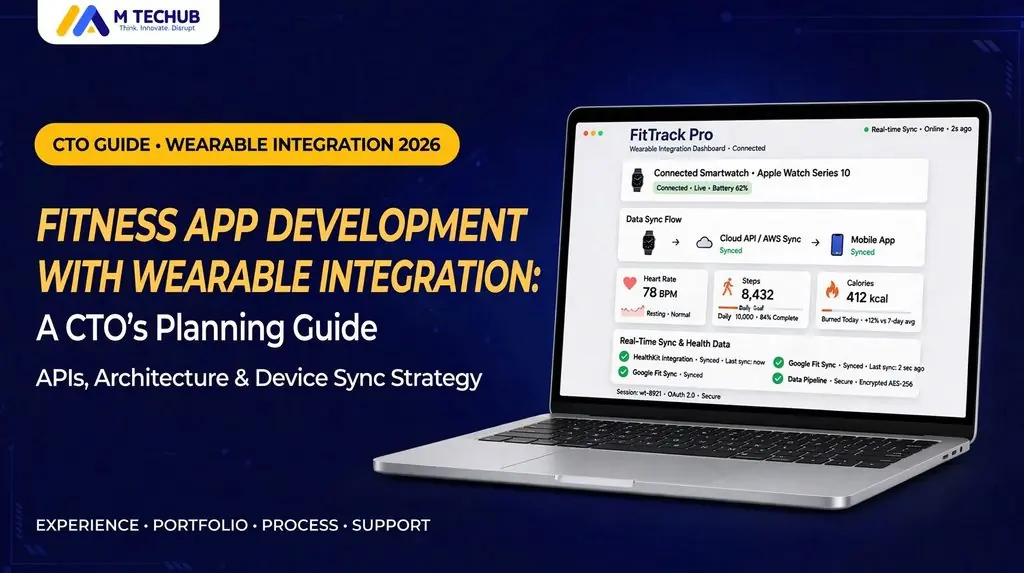
Fitness app development with wearable integration starts with matching your features to the right data source: platform health stores, vendor APIs, or direct sensor connections. Define the required metrics, supported devices, and update speed before choosing your architecture.
Define Your Requirements
Step 1: Match Features to Data Needs
| Feature | Required data | Update requirement |
| Activity dashboard | Steps, distance, activity summaries | Periodic synchronization |
| Workout history | Workout type, duration, timestamps | After workout synchronization |
| Live coaching | Heart rate and session state | During the workout |
| Sleep trends | Sleep duration and available stages | After device synchronization |
| Personalized recommendations | Relevant activity and recovery inputs | Before generating the recommendation |
Step 2: Limit Initial Device Coverage
Prioritize supported devices based on audience demand, essential metrics, integration access, and testing capacity. Add platforms when they serve a defined product need.
Step 3: Define Missing-Data Behavior
Show unavailable data clearly, preserve usable features after partial permission denial, and display a last updated timestamp where freshness matters.
Compare Wearable Integration Approaches
| Factor | Platform health stores | Vendor cloud APIs | Direct sensor connections |
| Examples | HealthKit, Health Connect | Garmin, Oura, WHOOP | Supported BLE sensors or vendor SDKs |
| Best suited to | Historical activity and health dashboards | Vendor-specific measurements and summaries | Live workout metrics |
| Freshness | Depends on upstream synchronization | Depends on device uploads and API delivery | Depends on sensor and connection capabilities |
| Main complexity | Permissions and overlapping sources | Account linking, tokens, API changes | Connection stability, reconnection, battery use |
| Coverage | Data contributed by compatible sources | A particular vendor ecosystem | Specific supported hardware |
Plan Your Fitness App Development Architecture
Step 1: Separate Integration Adapters
Give each integration adapter responsibility for authorization, retrieval, retries, and mapping. Keep platform-specific rules separate from dashboards and recommendation logic.
Step 2: Preserve Measurement Context
Store units, measurement timestamps, source identifiers, available device metadata, and import time. Keep vendor-specific scores distinct unless you have a validated comparison method.
Step 3: Prevent Duplicate Imports
Use idempotent synchronization and documented source-priority rules. Repeated imports should not create new records, and overlapping phone/watch activity should not be blindly added together.
Step 4: Validate the Framework Choice
| Approach | Suitable when | Budget consideration |
| Native | Platform-specific watch or sensor functionality dominates | Separate platform implementation and maintenance |
| Cross-platform | Most mobile interfaces and business logic can be shared | Custom native modules may still be required |
| Shared mobile app plus dedicated watch apps | The product needs both phone dashboards and on-watch workouts | Separate watch development and testing |
Validate the hardest HealthKit integration, Health Connect integration, or live sensor workflow before committing to the full technology stack.
Fitness App Development Cost
Fitness app development cost increases with integration complexity and reliability requirements.
| Cost factor | What to include |
| Platform coverage | Implementation and regression testing for each integration |
| Live measurements | Sensor connections, reconnection, and session management |
| Watch applications | watchOS/Wear OS interfaces and lifecycle handling |
| Backend processing | Normalization, synchronization, retries, and monitoring |
| Data protection | Access controls, retention workflows, and applicable reviews |
| Maintenance | API migrations, OS updates, support, and device testing |
Request separate estimates for initial development, third-party charges where applicable, and ongoing maintenance.
GDPR, HIPAA, and Data Protection
Step 1: Assess Legal Applicability
Where GDPR applies to health data processing, identify an Article 6 lawful basis and an applicable Article 9 condition. Explicit consent is one possible condition; platform permission alone does not authorize every downstream use.
HIPAA applicability depends on covered entity or business associate status. Collecting fitness measurements alone does not automatically make a consumer app subject to HIPAA. Handling PHI on behalf of a covered entity may require a BAA and applicable safeguards.
Step 2: Define the Data Lifecycle
Document collection purposes, retention, access controls, and deletion behavior. Treat disconnecting a wearable and deleting previously imported data as separate workflows.
M TECHUB Project Example
Savage Mushroom Fitness is a fitness project featured in M TECHUB’s published portfolio. The company describes work covering AI meal planning, adaptive workouts, onboarding, progress analytics, React Native development, and Gemini AI integration.
For CTOs evaluating a development partner, this provides a relevant fitness-product example to discuss alongside the proposed wearable architecture. Review the and request a walkthrough of the integration capabilities relevant to your build.
Launch Checklist
Use this single checklist to validate release readiness:
- Confirm access: Required metrics, supported devices, production eligibility, and API migration requirements.
- Test permission changes: Full, partial, denied, and revoked access.
- Test synchronization: Offline recovery, delayed records, duplicate delivery, and expired authorization.
- Validate calculations: Overlapping sources, time-zone changes, and workouts crossing midnight.
- Test physical hardware: Connection interruptions, background behavior, and battery impact.
- Review operations: Data-lifecycle workflows, integration monitoring, and maintenance ownership.