
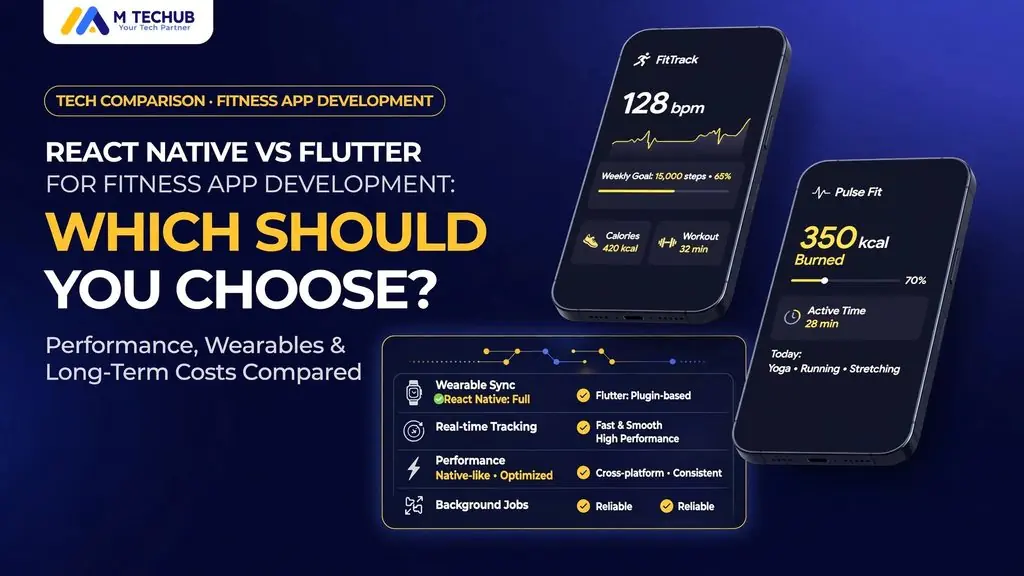
Choose React Native for a programme, subscription, and video-led fitness app built by a React/TypeScript team. Choose Flutter for a Dart-led team delivering a highly customised mobile interface. Choose native Swift/Kotlin when watch execution, continuous tracking, or specialised hardware defines the product. Match the framework to your core features and existing engineering capability.Mtechub
Key Takeaways / TL;DR
- React-led content product → React Native; Dart-led custom interface → Flutter; watch-first or specialised hardware product → native.
- Choose Kotlin Multiplatform with native interfaces to share networking and business logic while retaining platform-specific UI and hardware control.
- For camera AI, benchmark the native camera and inference pipeline before selecting the interface framework.
- Budget for native integration and physical-device QA with either framework; shared screens do not eliminate permissions, background restrictions, or billing requirements.
React Native vs Flutter: Master Comparison for Fitness Apps
Language and Architecture: TypeScript/JavaScript vs Dart
React Native uses JavaScript or TypeScript with React’s component model. Its New Architecture includes Fabric for rendering and TurboModules for native modules, with JavaScript Interface mechanisms supporting native interoperability. Hermes executes JavaScript; it is not the rendering engine.
Flutter uses Dart and a widget-based interface rendered through the Flutter engine. Platform channels connect Dart code with platform-specific implementations, while foreign-function interfaces serve suitable native-library integrations.
React web interfaces use browser elements; React Native uses native host components. Share suitable types, validation, and business logic, but assess interface reuse separately.
The Master Comparison Table
| Factor | React Native | Flutter | Fitness app decision rule |
| Language | JavaScript/TypeScript and React | Dart and Flutter’s widget model | Choose the language your delivery team already uses effectively |
| Rendering engine | Fabric renders native host components; Hermes executes JavaScript | Flutter’s engine renders the widget interface | Compare platform-integrated controls with custom visual consistency |
| Performance | Profile JavaScript work, component updates, native calls, and frame-processing integrations | Profile Dart work, widget rebuilds, raster work, and plugin data transfer | Measure the workout session on target devices |
| UI/UX | React Native components, platform adaptations, and animation libraries | Composable widgets, explicit styling, and custom painting | Choose according to interface and accessibility requirements |
| Ecosystem | React ecosystem plus RN packages, native modules, and Expo tooling | Dart packages, Flutter plugins, and platform channels | Audit the exact camera, health, BLE, and billing dependencies |
| Hiring pool | Require RN shipping experience alongside React/TypeScript skills | Require Flutter shipping experience alongside Dart skills | Compare candidates with evidence of hardware integration and store delivery; current USA/UK availability [VERIFY] |
| Cost | Budget for RN screens, native-module work, backend development, and platform QA | Budget for Flutter screens, plugin work, backend development, and platform QA | Price identical feature scopes; include uncovered native APIs as separate work |
| Time-to-market | Budget for RN screens, native-module work, backend development, and platform QA | Budget for Flutter screens, plugin work, backend development, and platform QA | Price identical feature scopes; include uncovered native APIs as separate work |
| Hardware access | A React-ready team starts with familiar language and component patterns | A Flutter-ready team starts with familiar Dart and widget patterns | Prototype the least certain integration before committing to a launch date |
| Wearables | Native modules expose platform and vendor SDKs | Plugins, platform channels, and suitable FFI bindings expose native functionality | Check API coverage, not just package availability |
| OTA updates | RN phone app connects to separately implemented watch functionality | Flutter phone app coordinates with platform-specific watch targets | Choose native for watch-first execution |
| Maintenance | EAS Update delivers compatible JavaScript and asset updates; native changes require a compatible binary | Standard delivery uses store builds; third-party patching capabilities and constraints [VERIFY] | Separate interface patches from native SDK and entitlement changes |
| Web code sharing | Own RN upgrades, JavaScript dependencies, native modules, and build tooling | Own Flutter upgrades, Dart dependencies, plugins, and native build integration | Assign responsibility for every critical integration |
| Accessibility | Accessibility properties and native component behaviour support platform assistive technologies | Semantics and accessible widgets expose interface meaning to assistive technologies | Test VoiceOver, TalkBack, large text, focus order, and chart alternatives |
| Testing and CI/CD | Jest and React Native Testing Library cover selected logic and components; EAS Build supports build workflows | Unit tests, widget tests, and integration_test cover distinct layers | Test sensors, tracking, purchases, and offline recovery on physical devices |
| Framework longevity and plugin risk | Assign owners for RN upgrades and critical native modules | Assign owners for Flutter upgrades and critical platform plugins | Require a replacement or maintenance path for every essential dependency; current support status |
| Migration | Embed supported RN screens into a native application with explicit navigation and lifecycle boundaries | Use Flutter add-to-app for incremental screens in an existing native application | Include authentication, local data, entitlements, and analytics in migration scope |
A package name establishes an integration candidate, not complete feature coverage. Record required API methods, supported operating systems, framework compatibility, and fallback implementation before approving each critical dependency.
UI/UX: Workout Controls, Animations, Charts, and Accessibility
React Native Components vs Flutter Widgets
| Fitness interface concern | React Native | Flutter |
| Reusable workout controls | Build exercise cards, set controls, and progress summaries with React components | Compose corresponding controls from Flutter widgets |
| Frequent updates | Limit component subscriptions and unnecessary state-driven renders | Limit widget rebuild scope and unnecessary layout work |
| Custom visuals | Add drawing or animation libraries where native components are insufficient | Use widget composition and for specialised visuals |
| Framework choice | Choose RN for a team already maintaining React component systems | Choose Flutter for a Dart team owning an extensively customised design system |
Reanimated, Skia, Lottie, and Rive vs Flutter Custom Painting
| Interface requirement | React Native approach | Flutter approach | Trade-off |
| Interactive transitions | Reanimated for gesture-linked and timed animations | Animation controllers and transition widgets | Measure frame stability during session updates |
| Custom charts and overlays | React Native Skia for drawing-intensive interfaces | CustomPainter and suitable chart packages | Custom drawing requires accessible alternatives |
| Authored animations | Lottie or Rive RN integrations | Corresponding Flutter runtimes | Check asset complexity and runtime cost |
| Workout timers | Update a focused component from session timestamps | Rebuild a focused widget from session timestamps | Animation frames must not become the authoritative clock |
| Progress charts | Accessible labels and text summaries alongside graphics | Meaningful semantics and readable data alternatives | Preserve essential information without relying on graphics |
Profile animations with the actual charts, timers, and session updates running. An isolated animation test does not establish full-screen performance.
Accessibility
- Test workout controls with VoiceOver and TalkBack, including set completion and exercise substitutions.
- Support large text without clipping instructions or hiding actions.
- Honour reduced-motion preferences and provide textual chart values.
- Use labels and status text rather than colour alone.
Real-World Example: Savage Mushroom
| Framework | Fitness app | Published implementation | What it demonstrates |
| React Native | Savage Mushroom | React Native, Node.js, PostgreSQL, and Gemini AI | A documented RN implementation combining workouts, meal planning, and progress tracking |
We built Savage Mushroom using React Native with a Node.js backend and PostgreSQL database. Our Savage Mushroom development case study describes the implementation; the later case study section examines its onboarding and workout experience.
A production example establishes support for a particular implementation. It does not establish that the same application would perform worse in another framework.
React Native vs Flutter Performance: Benchmark the Workout
Separate Interface Performance from Tracking and Inference
Scrolling exercise cards stresses interface rendering; pose detection stresses camera capture and inference; route recording stresses location services, persistence, and background execution. Measure these workloads separately before combining them so the benchmark identifies the actual bottleneck.
| Workload | React Native measurement focus | Flutter measurement focus | Required result |
| Onboarding and exercise lists | Component rendering, state updates, and list configuration | Widget rebuilds, layout work, and list configuration | Responsive input and stable scrolling |
| Live timers and charts | Update frequency and animation integration | Rebuild frequency and painting cost | Stable controls during data updates |
| Camera pose detection | Frame-processing integration, native runtime, and result transfer | Camera plugin, inference binding, and result transfer | Acceptable capture-to-feedback latency |
| GPS and BLE | Native subscription lifecycle and measurement delivery | Plugin stream lifecycle and measurement delivery | Reliable recording without excessive UI work |
| Offline recovery | Local persistence and session reconstruction | Database recovery and widget restoration | Recorded work survives interruption |
Test Release Builds on Representative Devices
Benchmark release builds on devices that reflect the customer base, including lower-capability Android hardware. Set pass/fail thresholds for startup time, frame stability, feedback latency, memory use, battery consumption, and interruption recovery before testing.
Use session-length tests for camera and tracking features. Short demonstrations do not expose sustained heating, reconnect failures, or growing memory usage.
Performance Verdict: Choose from Measured Integration Results
Choose by measured results on your own workout screens, not by a universal ranking.
Choose React Native if its integrations meet your thresholds and your team has proven RN and native-module experience.
Choose Flutter if its plugins and native bindings meet those thresholds and your team owns Dart performance and platform integration.
Choose native if a critical workload fails because the cross-platform integration introduces unresolved constraints. Tie that decision to the measured failure rather than a universal framework ranking.