
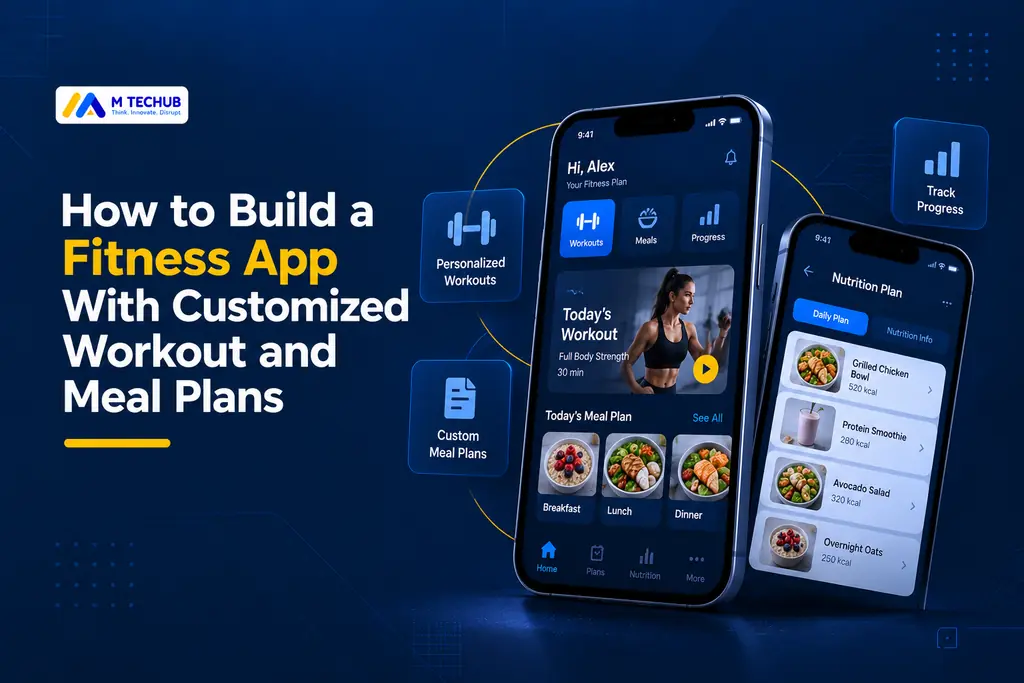
Building a fitness app with customized workout and meal plans requires more than combining exercise routines and calorie tracking. Businesses need a connected platform that manages workout schedules, nutrition data, user preferences, and personalized recommendations.
For US fitness startups, gym owners, and wellness businesses, custom fitness app development offers an opportunity to deliver personalized coaching, progress tracking, and meal planning through one application.
This guide explains the essential features, AI capabilities, development process, technology choices, costs, and security considerations involved in building a personalized fitness app.
What Is a Fitness App With Customized Workout and Meal Plans?
A personalized fitness app creates workout schedules and meal plans based on individual goals, fitness experience, available equipment, dietary preferences, and recorded progress.
Unlike a basic workout planner, a personalized fitness application connects exercise scheduling, nutrition management, activity tracking, and recommendation systems.
For example, someone following a three-day strength training program could receive a compatible meal schedule, record completed exercises, and adjust future workouts as their availability changes.
For fitness businesses, these capabilities can support subscription services, digital coaching, and personalized wellness programs.
Essential Features of a Personalized Fitness App
1. Personalized Workout Plan Generator
Users should be able to create customized workout schedules based on their fitness goals, experience, training frequency, and available equipment.
Essential capabilities include:
- Three-day and five-day workout plans.
- Home and gym workout options.
- Exercise instructions, sets, repetitions, and rest periods.
- Workout history and completion tracking.
- Flexible scheduling and plan adjustments.
The scheduling system should account for available training days and appropriate recovery periods rather than assigning exercises randomly.
2. Customized Meal Planner
A meal-planning feature helps users organize their nutrition based on dietary preferences and fitness goals.
Important functions include meal calendars, searchable food databases, recipes, grocery lists, and ingredient substitutions.
A macro meal planner can also calculate estimated calories, protein, carbohydrates, and fats based on serving sizes.
Developers can integrate nutrient information using the USDA FoodData Central API, which provides access to food composition data. Additional licensed databases may be required for particular food products or application needs.
3. Workout and Nutrition Progress Tracking
A centralized dashboard should display completed workouts, logged meals, strength improvements, and estimated nutrient intake.
These records can support future personalization.
For example, when users repeatedly miss a scheduled workout, the application could recommend a different training day instead of automatically increasing workout intensity.
4. Calendar, Notifications, and Health Integrations
A unified calendar helps users organize exercise sessions, meal preparation, and reminders.
Optional integrations with Apple HealthKit and Android Health Connect can support activity-data synchronization with user authorization.
Both platforms use data-specific permissions. Android Health Connect also allows users to manage or revoke access to supported health information.
The app should continue supporting essential planning features when users decline these integrations.
How AI Can Personalize Workout and Meal Plans
AI can help fitness applications offer more flexible recommendations, but not every personalization feature requires artificial intelligence.
Rule-Based Recommendations
Rule-based systems generate suggestions using predefined conditions, such as fitness experience, available equipment, and workout frequency.
For example, a beginner training at home three days per week could receive an appropriate schedule from an approved exercise library.
This approach is often suitable for an MVP because its behavior is easier to test and validate.
AI-Assisted Personalization
AI can help interpret preferences, suggest suitable meal options, and recommend workout schedule changes.
However, generated suggestions should be checked against relevant safety rules, dietary restrictions, and approved exercise information.
Progress-Based Recommendation Models
More advanced recommendation systems can analyze workout completion, user feedback, and historical preferences to improve future suggestions.
For example, the system might recommend a shorter workout schedule when a user consistently struggles to complete longer sessions.
AI-generated fitness and nutrition recommendations should not replace qualified medical or nutrition professionals.
How to Build a Fitness App With Customized Workout and Meal Plans
Step 1: Research Your Market and Target Audience
Identify whether the application will serve gym members, personal trainers, home fitness users, or corporate wellness customers.
Research competing applications and determine which problems your product will address better.
Step 2: Define Your MVP Features
A practical minimum viable product should focus on essential functions:
- User registration and onboarding.
- Personalized workout scheduling.
- Basic meal planning and macro tracking.
- Workout and nutrition progress records.
- Calendar reminders and account management.
Advanced AI coaching, community features, and extensive wearable integrations can be introduced after validating demand.
Step 3: Design the User Experience
Create simple onboarding screens that collect goals, experience level, available equipment, training frequency, and dietary preferences.
Users should understand why information is collected and be able to update their preferences later.
Step 4: Develop the Application Architecture
The backend should connect user profiles, workout templates, nutrition information, and recommendation services.
A practical architecture separates user preferences, workout definitions, completed workout logs, food records, and recommendation rules.
For example, completed workouts should remain in historical records even when the user changes their future training schedule.
This separation helps maintain accurate progress tracking and supports future personalization features.
Step 5: Integrate Nutrition Data and AI Services
Connect food composition databases, appropriate health integrations, and optional AI services.
Validate serving-size conversions, exercise recommendations, synchronization behavior, and user data permissions.
Step 6: Test, Launch, and Improve
Before launch, test workout schedules, nutrient calculations, onboarding flows, data synchronization, security, and app performance.
Release a beta version to representative users and prioritize improvements based on feedback and actual product usage.
Practical Example: How the Complete User Journey Works
Consider a US fitness startup building an application for people who want to manage strength training and meal planning together.
Step 1 — User onboarding: A user selects muscle building as their goal, chooses a three-day workout schedule, identifies available gym equipment, and enters dietary preferences.
Step 2 — Plan generation: The application uses approved workout templates and nutrition information to generate a customizable training schedule and meal suggestions.
Step 3 — Daily tracking: The user records completed exercises, workout performance, meals, and serving sizes.
Step 4 — Progress analysis: The application compares recorded activity against the planned schedule and identifies patterns in user engagement.
Step 5 — Plan adjustments: If the user repeatedly misses a training day, the system suggests a schedule change while preserving completed workout records.
This example demonstrates how workout scheduling, nutrition data, progress tracking, and recommendation logic can operate together within one application.
Technology Stack for Fitness App Development
The technology stack should support reliable personalization, secure data management, and future scalability.
| Component | Possible technologies |
|---|---|
| Mobile development | Flutter, React Native, Swift, Kotlin |
| Backend | Node.js, Python/FastAPI |
| Database | PostgreSQL |
| Cloud infrastructure | AWS, Google Cloud, Azure |
| Nutrition data | USDA FoodData Central, licensed food APIs |
| AI personalization | Rules engines, recommendation models, AI APIs |
| Health integrations | Apple HealthKit, Android Health Connect |
Technology choices should depend on required features, development budget, available expertise, and supported platforms.
Data Privacy and Security Considerations
Fitness applications may process sensitive information, including physical activity, body measurements, nutrition preferences, and health-related records.
Developers should implement appropriate security measures, including:
- Data minimization and clearly explained permissions.
- Encryption and secure authentication.
- Role-based access controls.
- Account deletion and data retention procedures.
- Secure third-party API integrations.
In the United States, HIPAA does not automatically apply to every consumer fitness application. Its applicability depends on the business relationship, relevant entities, and data processing activities.
Other obligations may apply, including state privacy laws and the FTC Health Breach Notification Rule for certain health applications.
The Federal Trade Commission’s Mobile Health App Interactive Tool explains how developers can assess potentially applicable federal requirements.
A regulatory review should be based on the application’s actual functionality and data flows.
Common Challenges in Personalized Fitness App Development
| Challenge | Practical solution |
|---|---|
| Inaccurate recommendations | Validated exercise libraries and safety rules |
| Inconsistent nutrition data | Reliable databases and serving-size validation |
| Low engagement | Flexible scheduling and progress reports |
| Complex integrations | Prioritize essential APIs and test synchronization |
| Privacy risks | Data minimization and secure access controls |
| Scalability | Scalable infrastructure and performance monitoring |
Another important challenge is maintaining consistent records when users manually edit workout logs or import activity data from connected devices.
The application should define how duplicate entries, conflicting information, and historical changes are handled.
How Much Does It Cost to Build a Fitness App With Workout and Meal Plans?
The cost of fitness app development depends on functionality, supported platforms, personalization complexity, integrations, and maintenance requirements.
According to Clutch’s September 2026 Mobile App Pricing Guide, most reviewed mobile app development projects typically cost between $10,000 and $49,999, while the reported average project cost is approximately $90,780.
These figures represent general mobile app projects, not verified development prices specifically for personalized fitness applications.
A fitness app combining workouts and meal planning may require a different budget because of several technical requirements.
Separate planning workflows: Workout scheduling and meal planning require different data structures, calculations, interfaces, and validation processes.
Nutrition data services: Food databases may introduce API usage limits, third-party licensing costs, additional data mapping, and ongoing integration maintenance. USDA FoodData Central data itself is available under CC0, but other services may have commercial terms.
Wearable integrations: Connecting health platforms requires permission handling, synchronization testing, duplicate-record management, and platform-specific development.
AI recommendations: Advanced personalization adds model integration, output validation, monitoring, and potential recurring API expenses.
Ongoing maintenance: Cloud hosting, security updates, bug fixes, platform compatibility, and customer support contribute to long-term costs.
For startups, launching a focused MVP with rule-based personalization is often a practical way to control initial scope.
Businesses should request an itemized development estimate that separates initial implementation, third-party services, and ongoing maintenance.
Conclusion
Building a fitness app with customized workout and meal plans requires a connected application architecture, accurate nutrition information, reliable scheduling, and secure progress tracking.
For US fitness startups and wellness businesses, a focused MVP offers an opportunity to validate user needs before investing in advanced AI recommendations and complex integrations.
The priority should be delivering dependable features that solve real problems for the intended audience.