
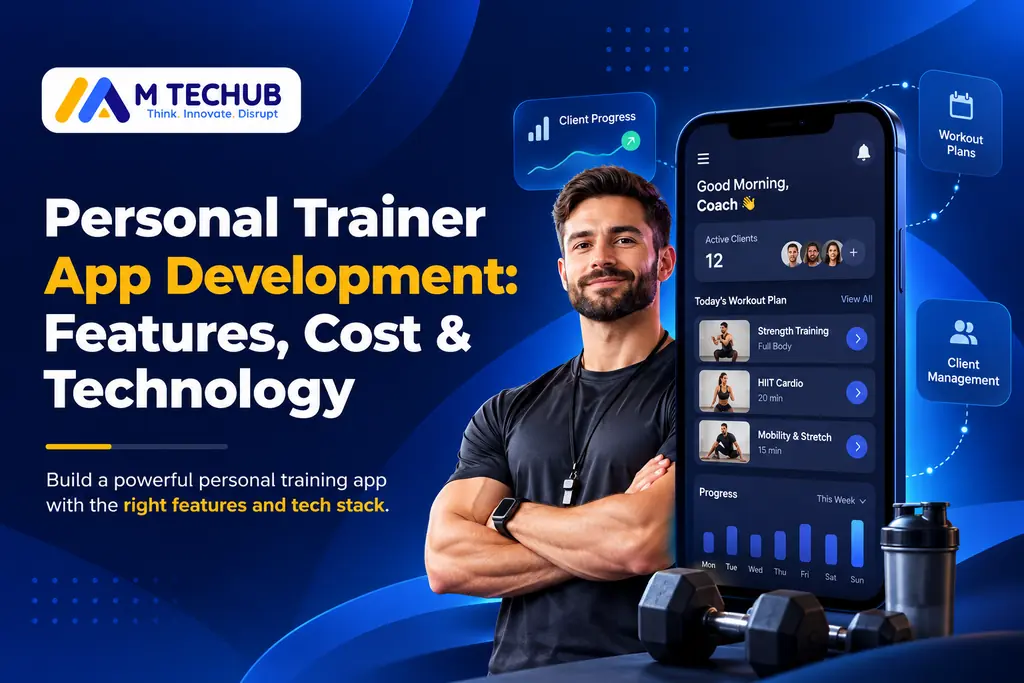
Personal trainers manage more than workouts. They create training programs, monitor client progress, schedule sessions, answer questions, and handle payments. As their businesses grow, managing these activities through spreadsheets, messaging apps, and separate booking tools can become difficult.
A personal trainer app brings these essential activities into one platform. Trainers can deliver personalized workout programs, track client performance, communicate with clients, and organize their coaching business.
For fitness startups, independent trainers, and coaching businesses in the United States and United Kingdom, the important question is not simply how to build an app. It is which features are worth developing, what the investment involves, and whether custom software is the right choice.
Quick answer: Personal trainer app development involves building software that helps fitness professionals deliver coaching services and manage clients. A practical minimum viable product (MVP) usually includes client onboarding, workout planning, progress tracking, trainer-client communication, and a management dashboard. Development costs and timelines depend on the product’s complexity, platforms, integrations, and team requirements.
What Is a Personal Trainer App?
A personal trainer app is a mobile or web application that helps fitness professionals manage training programs, communicate with clients, and monitor progress.
Unlike a basic workout tracker, a coaching app supports the ongoing relationship between trainers and their clients.
For example, a trainer managing 40 clients might use an app to assign individual workout plans, review completed exercises, identify missed sessions, and adjust training programs without manually updating multiple documents.
Personal trainer applications generally fall into four categories:
| App type | Main purpose |
|---|---|
| Workout tracking app | Records exercises, sets, repetitions, and performance |
| Personal coaching app | Delivers personalized programs and trainer feedback |
| Client management app | Handles bookings, payments, profiles, and communication |
| Fitness coaching platform | Combines coaching delivery with broader business operations |
An independent trainer may only need a simple client-facing app. A fitness company supporting hundreds of coaches may require separate trainer, client, and administrator interfaces.
Understanding this difference early helps businesses avoid building unnecessary functionality.
Essential Features of a Personal Trainer App
The right features depend on how trainers work and what clients expect from the coaching experience.
For an MVP, the priority should be supporting one complete workflow: a trainer creates a program, the client follows it, and the trainer reviews the results.
1. Trainer and Client Profiles
Trainers need organized access to client information, including training objectives, experience levels, and workout history.
Clients should be able to create accounts, review their assigned programs, and update relevant profile information.
Role-based access controls help ensure that trainers, clients, and administrators only access information appropriate to their responsibilities.
2. Workout Planning and Exercise Library
Workout planning is one of the most important features of a personal trainer application.
Trainers should be able to:
- Create structured training programs.
- Assign exercises, sets, repetitions, and rest periods.
- Save reusable workout templates.
- Add exercise instructions or demonstrations.
- Modify programs according to client progress.
An organized exercise library reduces repetitive work and helps clients understand their training routines.
For an early release, reusable workout templates may provide more practical value than an advanced AI workout generator.
3. Fitness Progress Tracking
Progress tracking allows trainers to evaluate consistency and adjust training plans using recorded information.
Useful metrics include completed workouts, exercise performance, training frequency, and client-reported progress.
For example, a strength coach might compare a client’s lifting performance across several weeks before modifying the next training block.
The interface should make progress understandable without requiring clients to interpret complicated analytics.
4. Trainer-Client Communication
Effective coaching requires regular communication.
Clients may need to discuss exercise difficulties, request program adjustments, or provide feedback after training.
In-app messaging helps organize these conversations alongside workout plans and progress records.
Video calls and real-time coaching tools can be considered later if they are central to the service model.
5. Scheduling and Reminders
Scheduling is particularly useful for trainers delivering live sessions.
A basic system can support appointment availability, bookings, reminders, and cancellations.
However, scheduling may not be an essential MVP feature for businesses focused entirely on asynchronous online coaching.
The decision should reflect how the coaching service operates.
6. Payments and Subscriptions
Personal trainers may monetize their applications through recurring coaching subscriptions, fixed-duration programs, or individual sessions.
The payment system must reflect what customers purchase.
For example, Apple’s App Store guidelines distinguish certain real-time person-to-person fitness training services from digital subscriptions. Google Play also has specific requirements for digital products and services.
Businesses should review the applicable platform policies before selecting their payment architecture.
7. Trainer Dashboard
A trainer dashboard provides an overview of coaching activities.
It may display active clients, assigned programs, upcoming appointments, pending feedback, and incomplete workouts.
Instead of searching across different tools, trainers can identify which clients need attention from one interface.
This can simplify daily operations without requiring advanced reporting features.
Which Features Should You Build First?
| MVP features | Consider after launch |
|---|---|
| Client onboarding | AI workout recommendations |
| Trainer and client profiles | Exercise-form recognition |
| Workout creation and assignment | Advanced nutrition analytics |
| Workout completion tracking | Community features |
| Trainer-client messaging | Wearable integrations |
| Basic trainer dashboard | Predictive performance analytics |
| Authentication and privacy controls | Advanced reporting |
Payments and scheduling should be included in the MVP when they are necessary to complete the core coaching workflow.
The objective is to launch a dependable application, validate its usefulness, and expand based on actual user needs.
How Much Does Personal Trainer App Development Cost?
The cost of personal trainer app development depends on the product’s features, platform requirements, design complexity, backend architecture, and development team.
A basic coaching app with workout assignments and progress tracking generally requires less development effort than a multi-trainer platform with subscriptions, advanced integrations, and AI-powered functionality.
Estimated Development Costs in the USA and UK
The following figures are illustrative budgeting scenarios, not verified national market averages or agency quotations.
| Development scope | USA planning budget | UK planning budget |
|---|---|---|
| Lean coaching MVP | $30,000–$60,000 | £24,000–£48,000 |
| Standard coaching platform | $60,000–$120,000 | £48,000–£96,000 |
| Advanced multi-trainer platform | $120,000–$220,000+ | £96,000–£176,000+ |
These are independent USD and GBP budget examples, not currency conversions or results from country-specific surveys.
The scenarios assume approximately 800–1,200 delivery hours for a lean MVP, 1,200–2,000 hours for a standard product, and 2,000–3,000 or more hours for an advanced platform. They use illustrative blended team rates and include core planning, design, development, and testing.
They exclude major custom AI model development, extensive enterprise integrations, taxes, ongoing hosting, and post-launch support.
For wider market context, Clutch’s 2026 mobile app pricing guide discusses how functionality, user interface complexity, and backend requirements affect development costs. Individual project quotes can differ substantially from both industry averages and these planning scenarios.
What Affects Development Costs?
Platform requirements: Supporting iOS, Android, and a dedicated trainer web dashboard involves more development and testing work than launching a single interface.
Feature complexity: Multi-trainer management, subscription rules, and advanced program builders increase implementation requirements.
Third-party integrations: Connecting payment processors, calendars, wearable devices, and other services introduces additional development and maintenance responsibilities.
Data management: Exercise videos, workout records, client information, and analytics require appropriate storage and access controls.
Testing and security: Authentication, subscription management, data protection, and application reliability need careful validation.
Ongoing Maintenance Costs
Launching the application does not end the investment.
Businesses should budget for infrastructure, monitoring, bug fixes, security updates, operating-system changes, and third-party service fees.
For early planning, an annual allowance of approximately 15–25% of the initial development cost can be used as a provisional budgeting assumption. It is not a verified industry benchmark, and actual maintenance spending may be substantially higher or lower.
A development proposal should distinguish the initial build cost from ongoing support and maintenance.
Custom Personal Trainer App vs White-Label Software
Not every fitness business needs custom development.
White-label software provides an existing application that can be branded and configured within the provider’s available options.
Custom development creates software around specific workflows, requirements, and business objectives.
| Factor | White-label software | Custom development |
|---|---|---|
| Initial cost | Usually lower | Usually higher |
| Launch speed | Generally faster | Requires development |
| Branding | Provider-dependent | Greater flexibility |
| Features | Existing capabilities | Based on business requirements |
| Integrations | Limited by available options | Can be designed as needed |
| Maintenance | Usually vendor-managed | Managed by the owner or development partner |
| Data portability | Depends on provider terms | Depends on architecture and contracts |
When Is White-Label Software Suitable?
White-label software can be practical for independent trainers who mainly need workout assignments, client messaging, scheduling, and progress tracking.
It can also help businesses test client demand before committing to a custom platform.
Before choosing a provider, review subscription fees, branding restrictions, data export options, and service limitations.
When Is Custom Development Better?
Custom development becomes more relevant when an existing platform cannot support important business workflows.
For example, a coaching company might require multiple trainers to collaborate on one client’s program while maintaining different access permissions.
If that workflow is fundamental to the business model, adapting a generic platform may become difficult.
A practical approach is to document your required coaching workflow first, compare it against available software, and invest in custom development when the additional flexibility provides clear value.
Technology Stack for a Personal Trainer App
Technology decisions should reflect the application’s requirements, development resources, and long-term maintenance needs.
A common approach is to combine a mobile application, backend services, database, and web-based trainer dashboard.
Mobile App Development
Flutter enables developers to build applications for multiple platforms using a shared codebase.
React Native is another option, particularly for teams experienced in JavaScript and React.
Swift and Kotlin support native iOS and Android development when platform-specific requirements justify separate applications.
Cross-platform development can reduce duplicated effort, but it does not eliminate device-specific testing or maintenance.
Backend and Database
The backend manages authentication, workout assignments, client records, communication, and business rules.
Technologies such as Node.js, Python-based frameworks, or .NET may be suitable depending on the team’s experience and application requirements.
A relational database such as PostgreSQL can organize relationships between trainers, clients, exercises, training programs, and workout history.
Exercise videos and other media may be stored separately using cloud object storage.
Example Application Architecture
A practical system could include:
- Mobile application: Client workouts, progress logs, and communication.
- Backend API: Authentication, permissions, coaching logic, and integrations.
- Database: Client records, exercise assignments, and workout history.
- Cloud media storage: Exercise demonstrations and related assets.
- Trainer web dashboard: Program management, client monitoring, and administration.
Production systems also require monitoring, backups, secure configuration, and reliable handling of external integrations.
Third-Party Integrations
Potential integrations include payment processors, notifications, calendars, wearable platforms, and fitness data services.
Each integration introduces dependencies, permissions, error handling, and maintenance requirements.
For an MVP, select integrations that directly support the main coaching experience rather than connecting every available service.
Should You Add AI to a Personal Trainer App?
AI can assist with fitness coaching workflows, but it should solve a clearly defined problem.
Potential applications include:
- Suggesting workouts based on goals and recorded performance.
- Summarizing training consistency.
- Helping trainers review client feedback.
- Identifying missing workout records.
- Supporting video-based exercise analysis where reliable validation is possible.
However, AI-generated recommendations have limitations.
For example, a system might recommend increasing workout intensity based on performance records without knowing that a client has recently experienced pain or an injury.
Qualified trainer judgment and appropriate safeguards remain important.
For early-stage products, structured workout templates and understandable progress reporting may deliver more dependable value than complex AI functionality.
Before adding AI, consider data quality, privacy, recommendation accuracy, human oversight, and the cost of maintaining the feature.
How to Build a Personal Trainer App: Step by Step
A structured development process helps teams concentrate on real coaching requirements instead of adding features without clear value.
Step 1: Define Your Users and Business Model
Decide whether the application will serve independent trainers, online coaching businesses, gyms, or organizations supporting multiple trainers.
Interview potential users to understand how they currently create programs, communicate, monitor progress, and manage payments.
Step 2: Define the MVP
Map the essential coaching journey from registration and workout assignment to completion and feedback.
Prioritize the features necessary for users to complete that journey successfully.
Step 3: Create Wireframes and Interface Designs
Design the main screens, including client onboarding, workout tracking, the trainer dashboard, and messaging.
Test whether trainers and clients can complete common tasks without unnecessary steps.
Step 4: Select the Technology and Architecture
Choose the mobile framework, backend services, database, infrastructure, and integrations based on the application’s actual requirements.
Plan authentication, permissions, and data protection before implementation.
Step 5: Develop the Core Application
Build the primary features and connect the mobile interface with backend services.
Implement payment processing and scheduling where required.
Maintain consistent testing throughout development rather than leaving validation until the end.
Step 6: Test Real Coaching Scenarios
Test whether trainers can create programs, clients can complete workouts, and recorded progress remains accurate.
Check role permissions, failed payments, interrupted connections, notifications, and different device sizes.
A limited beta release with real trainers and clients can help identify usability problems before a wider launch.
Step 7: Launch and Improve
After release, monitor application stability, onboarding performance, workout completion, and user feedback.
Prioritize improvements based on observed problems rather than introducing advanced features immediately.
How Long Does Development Take?
These are illustrative project-planning ranges rather than guaranteed delivery periods.
| Project scope | Estimated timeline |
|---|---|
| Lean personal trainer MVP | 3–4 months |
| Standard coaching platform | 5–8 months |
| Advanced multi-trainer platform | 8–12+ months |
Actual delivery depends on team capacity, changing requirements, integrations, testing, approvals, and other project constraints.
Security and Privacy for US and UK Fitness Apps
Personal trainer applications may process workout history, body measurements, client contact information, and potentially sensitive information about injuries or health conditions.
Security and privacy requirements should influence the initial architecture rather than being addressed only before launch.
UK Data Protection Requirements
Organizations subject to UK data protection law must assess their responsibilities under the UK GDPR and Data Protection Act 2018.
According to the UK Information Commissioner’s Office, information from fitness trackers can qualify as health data when it reveals details about an individual’s health status.
When an application processes special-category health data, the organization generally needs an applicable Article 6 lawful basis and a separate Article 9 condition, alongside other relevant obligations.
The exact requirements depend on the data collected, its intended use, and the organization’s role.
US Privacy Requirements
Not every consumer fitness application is automatically subject to HIPAA.
Applicability depends on factors such as whether the organization is a covered entity or business associate and how the application handles protected health information.
The US Department of Health and Human Services provides guidance to help health-app developers assess relevant federal obligations.
Developers should also evaluate applicable state privacy laws and consumer protection requirements.
Essential Security Measures
A personal trainer app should consider:
- Secure authentication and account recovery.
- Role-based access to client records.
- Encryption during data transmission and appropriate encryption at rest.
- Secure storage of tokens and credentials.
- Account deletion and data retention procedures.
- Controlled access to backups.
- Monitoring without unnecessarily exposing sensitive information.
- Security reviews for external integrations and AI services.
These practices help reduce risks, but their implementation does not automatically establish regulatory compliance.
How to Choose a Personal Trainer App Development Company
Choosing a development partner involves more than comparing prices.
A suitable company should understand the coaching workflows being implemented and explain how the application will remain maintainable, secure, and usable as the business grows.
Before making a decision, ask about:
- Experience developing comparable software features.
- Handling trainer and client access permissions.
- Subscription and payment integrations.
- Mobile testing and quality assurance.
- Data ownership and source-code handover.
- Post-launch support and maintenance.
- Project milestones and change management.
Provide each potential partner with the same requirements document and ask them to identify assumptions, exclusions, technical risks, and estimated deliverables.
This makes proposals easier to compare.
What Should You Prepare Before Contacting Developers?
A useful project brief should explain the intended users, core coaching workflow, required features, target platforms, and expected business model.
Include your desired launch window, approximate budget, and necessary integrations when known.
A specific brief helps development teams provide more meaningful recommendations than a general request to build a fitness app.
How to Measure Personal Trainer App Success
A successful launch does not necessarily mean the application delivers long-term value.
Businesses should measure whether the app improves coaching delivery and supports consistent client engagement.
| Metric | What it helps measure |
|---|---|
| Onboarding completion rate | Whether clients can successfully get started |
| Workout completion rate | Whether users follow assigned training plans |
| Weekly active clients | Whether clients continue using the application |
| Trainer response time | How efficiently feedback is delivered |
| Client retention rate | Whether users continue with the coaching service |
| Support requests | Where usability or technical problems occur |
For example, if clients register successfully but rarely complete their first workout, the problem may involve program assignment, onboarding instructions, or the workout interface.
Investigating that issue may provide more value than immediately adding another feature.
These metrics should be considered alongside trainer feedback and business outcomes. Application activity alone does not prove improvements in fitness results.
Conclusion
Personal trainer app development starts with understanding the relationship between trainers, clients, and the coaching services being delivered.
Workout planning, progress tracking, client communication, and basic management tools create a useful foundation for many applications.
Advanced functionality such as AI recommendations, wearable integrations, and complex analytics should be introduced when the business has a clear reason to support it.
White-label software may be sufficient for independent trainers with standard requirements. Custom development becomes more relevant when specialized workflows, integrations, or long-term business goals justify the investment.
The strongest starting point is a focused application that users can rely on, rather than a feature-heavy product that is difficult to maintain.
Not always. White-label products can be suitable for trainers needing standard coaching features quickly. Custom development is more appropriate when important workflows cannot be supported by existing platforms.
References
- Mobile App Development Pricing Guide 2026 — Clutch
- App Review Guidelines — Apple Developer
- Understanding Google Play’s Payments Policy — Google
- Flutter Architectural Overview — Flutter Documentation
- Resources for Mobile Health App Developers — U.S. Department of Health and Human Services
- What Is Special Category Data? — UK Information Commissioner’s Office