



Work Contact

Wearable Workout Data Handling: Fix Missing and Duplicate Workouts

A recorded workout disappears between the smartwatch and the fitness app. Another session appears twice and inflates the user’s weekly totals. Both problems weaken confidence in the product.

Reliable wearable workout data handling requires traceable imports, stable source identifiers, and safe retries. Missing records require an investigation into access, transfers, queries, and storage. Duplicate records require identity checks and a clear policy for overlapping recordings.

This guide explains how developers, product managers, and QA teams should diagnose synchronization failures, prevent repeated imports, and protect legitimate workout data.

TL;DR

  • Find the last destination where the workout exists.
  • Check permissions, query boundaries, pagination, and import failures.
  • Preserve source identifiers and enforce database uniqueness.
  • Use atomic upserts so retries do not create new rows.
  • Separate overlapping device recordings from repeated imports.
  • Queue cloud notifications and reconcile missed events.
  • Keep sensitive workout information out of routine logs.

Understand the Workout Data Flow

A common repository-based integration follows this path:

Watch → Companion app → Health repository → Fitness app → Backend

A cloud-based integration follows a different route:

Watch → Manufacturer platform → API or notification → Backend → Fitness app

These flows describe common architectures. Confirm the path used by each supported integration.

Inspect the saved session at the source, its arrival at the repository or cloud platform, the importer’s response, and the final database entry. If the workout already exists in the repository, investigate the importer before troubleshooting the watch connection.

Track local imports and backend uploads separately. A successful repository read does not prove that the server received the workout. Similarly, a server record does not prove that the dashboard includes it in the selected date range.

Classify the Record Before Changing It

Use source evidence to decide whether the problem involves availability, completeness, or identity.

Record conditionWhat it meansRecommended action
Missing or delayedThe workout is absent downstream or waiting to transferTrace its last confirmed destination
IncompleteThe session exists without some measurementsPreserve the session and check optional fields
Repeated importThe same source identity appears more than onceReuse or update its stored representation
Overlapping recordingsDifferent sources recorded the same activityPreserve provenance and review which recording counts
Uncertain matchSimilar details do not establish identityFlag for review instead of deleting

Choose one affected workout and note its source, identifier, activity type, and start and end times. Follow that record through the system.

Common Causes of Missing Wearable Workout Data

Missing or Changed Permissions

Read access and write access are separate. Permission to access workouts also does not establish access to every associated measurement.

HealthKit does not reveal whether the user granted read permission. An empty query therefore does not prove that the workout is absent. Review the requested types and provide clear access-setting instructions, following Apple’s HealthKit authorization documentation.

Background Imports Do Not Run

A foreground refresh can succeed while a scheduled import fails. Inspect whether the job started and had the required access.

Health Connect documents additional permission and feature checks for background reads. Follow the Health Connect read data guide and retain a foreground recovery option.

Date Ranges Exclude the Workout

UTC and local-time mismatches, midnight boundaries, source filters, and historical access restrictions exclude valid records.

Compare the source timestamps with the exact query boundaries. Store absolute times and define a consistent time-zone policy for display.

Pagination Stops Too Early

One successful response does not establish that the importer retrieved every matching record.

Process all pages using the API’s continuation mechanism. Test an interrupted import with a dataset large enough to require several pages.

Mapping Rejects Optional Measurements

A valid workout does not require every source to provide distance, calories, heart rate, and route information.

Separate required session fields from optional measurements. Keep unavailable values distinct from measured zero, as explained in the Health Connect write data guide.

Upload or Display Failures Hide Stored Records

A workout stored locally still needs to complete any required backend upload.

Inspect the upload queue, authentication, account mapping, server response, dashboard filters, and cache. Record import completion and upload completion as different states.

A Short Workflow for Missing Records

To investigate missing wearable workout data, start at the source and move forward:

  1. Confirm the saved session. Check the wearable, companion app, or manufacturer platform.
  2. Check the next destination. Confirm whether the repository or cloud service received it.
  3. Inspect the query. Review permissions, record types, dates, source filters, and pagination.
  4. Inspect processing. Check validation failures, stored identifiers, and synchronization progress.
  5. Inspect presentation. Verify the account, selected date, time zone, and calculated totals.

Retry only after identifying the failing operation. The recovery path must recognize existing records.

For example, if the importer retrieved a cycling session but rejected it because distance was absent, reconnecting the watch does not address the failure. Correct the validation rule and test sessions with and without distance.

Preserve the original evidence during recovery. Deleting imported history first makes it harder to distinguish a source problem from an application error.

Why Duplicate Workouts Appear

Repeated Imports Create New Rows

Manual refreshes, scheduled jobs, and retries process the same records. If every attempt inserts a new row, one source workout becomes several entries.

Use idempotent processing: importing the same source identity repeatedly produces one stored representation.

Concurrent Jobs Race

Two workers check for a record simultaneously. Both find no existing row and both insert it.

An application-level “check, then insert” is insufficient. Enforce database uniqueness and use an atomic upsert.

Multiple Routes Import One Activity

A manufacturer API and a health repository can deliver separate representations of the same activity.

Preserve the route and source information. Source-specific uniqueness prevents replay within one route; cross-source reconciliation needs a separate rule.

Two Devices Record One Session

A watch and cycling computer produce separate recordings of the same ride. Their measurements and identifiers differ.

Retain both sources. Apply a documented policy for selecting the preferred recording and calculating totals.

Updates Become New Workouts

A source changes an existing session, but the importer creates another entry.

Identify updates using the source’s identity and version rules. Changes to duration or distance alone do not justify a new workout.

Implement a PostgreSQL Unique Constraint and Upsert

The following example demonstrates repeated-import protection. It assumes a stable source identifier and a trustworthy, monotonically increasing source version.

It is an illustrative database pattern, not application code verified against a deployed integration.

Define the Source Identity

CREATE TABLE imported_workouts (
id BIGINT GENERATED ALWAYS AS IDENTITY PRIMARY KEY,
user_id UUID NOT NULL,
provider TEXT NOT NULL,
source_scope TEXT NOT NULL,
source_record_id TEXT NOT NULL,
source_version BIGINT NOT NULL
CHECK (source_version >= 0),

activity_type TEXT NOT NULL,
starts_at TIMESTAMPTZ NOT NULL,
ends_at TIMESTAMPTZ NOT NULL,
distance_m DOUBLE PRECISION
    CHECK (distance_m >= 0),

updated_at TIMESTAMPTZ NOT NULL DEFAULT now(),

CONSTRAINT valid_workout_interval
    CHECK (ends_at > starts_at),

CONSTRAINT unique_source_workout
    UNIQUE (
        user_id,
        provider,
        source_scope,
        source_record_id
    )

);

identifies the source account or repository context. Keep it stable across reconnects when the underlying source identity stays the same.

The constraint protects one source identity. It does not establish that records from different providers describe the same physical workout.

Upsert Newer Versions

INSERT INTO imported_workouts (
user_id,
provider,
source_scope,
source_record_id,
source_version,
activity_type,
starts_at,
ends_at,
distance_m
)
VALUES (
$1, $2, $3, $4, $5,
$6, $7, $8, $9
)
ON CONFLICT ON CONSTRAINT unique_source_workout
DO UPDATE SET
source_version = EXCLUDED.source_version,
activity_type = EXCLUDED.activity_type,
starts_at = EXCLUDED.starts_at,
ends_at = EXCLUDED.ends_at,
distance_m = EXCLUDED.distance_m,
updated_at = now()
WHERE EXCLUDED.source_version >
imported_workouts.source_version;

Use parameterized queries. The first import inserts the record. An equal-version replay leaves it unchanged. A newer version updates it, while an older version does not overwrite newer content.

Concurrent imports remain subject to the same uniqueness constraint. This provides a concrete duplicate workout data fix for repeated source records.

Do not use arrival time as source version. A delayed response can arrive after a newer record. If the provider supplies no trustworthy version, define another conflict policy, such as retrieving the current authoritative record and serializing updates.

Preserve User Edits and Partial Data

The upsert assumes a complete source snapshot. For partial payloads, distinguish omitted fields from explicit clearing. Otherwise, an incomplete update overwrites valid measurements with null values.

Keep user notes and app-owned edits separate from source-owned fields. Source updates should not erase unrelated user content.

Reject invalid intervals through a clear validation path. Capture the failure category without exposing the full health record in ordinary logs.

Save Synchronization Progress Safely

A checkpoint records how far the importer has progressed.

Saving it before the records creates a gap after a crash. Saving records first creates replay if checkpoint persistence fails. Build for safe replay.

Where records and progress share a database, persist them transactionally. Where upload occurs later, use a durable queue and track its progress separately.

Apple’s anchored object queries and the Health Connect synchronization guide support incremental change processing.

Retain the identifiers needed for updates and deletions. After invalid synchronization state, reconcile accessible source records against stored identities instead of appending a fresh copy of the history.

Define deletion ownership explicitly. Removing an imported representation from the app should not silently delete a source workout unless that behavior is authorized and documented.

Handle Cloud Integrations and Retries

Cloud notifications require durable receipt, asynchronous processing, and source reconciliation.

  • Strava: Its webhook guide requires HTTP 200 within two seconds and specifies up to three total delivery attempts; queue events before processing them asynchronously.
  • Garmin: The Activity API supports Ping/Pull and Push architectures; follow the approved integration’s acknowledgment and recovery requirements.
  • Fitbit: Official subscription documentation states that legacy API support ended September 30, 2026, with shutdown scheduled for October 30, 2026; migrate to the Google Health API.

Provider delivery retries and application-worker retries are separate. Use bounded backoff with jitter for transient processing failures. Respect rate limits and stop repeating authorization failures until access is repaired.

Track notification receipt, processing, and final persistence separately. Repeated events must not create repeated workouts. Do not collapse every event using activity ID alone because one activity has legitimate creation, update, and deletion events.

During API migration, reconcile record identities and preserve history. Test reconnects, missed notifications, and delayed retrieval. A webhook is a change signal, not proof that the import completed.

A Published M TECHUB Project Insight

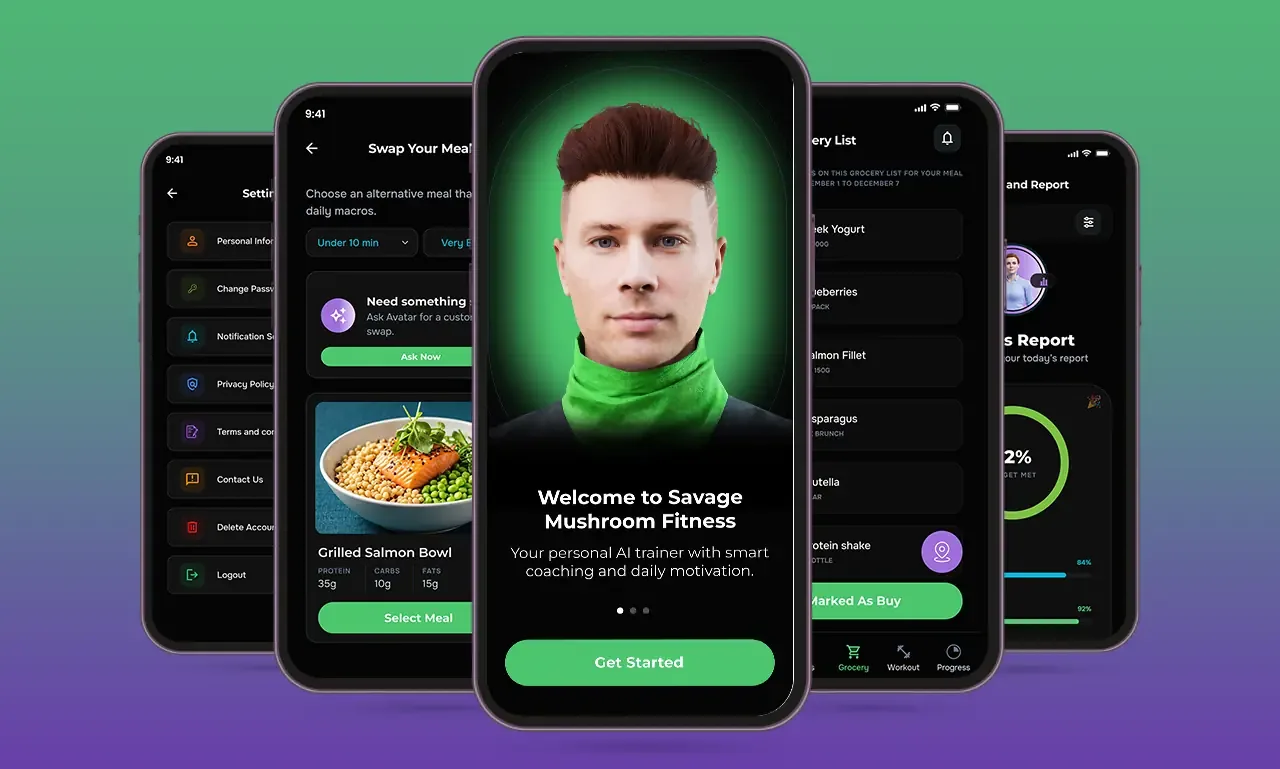
M TECHUB’s Savage Mushroom case study documents workout programming, set and repetition tracking, and progress reports. These features show why consistent records matter to downstream reporting.

The case study does not document a wearable deduplication incident. The relevant design lesson is to validate both workout history and the calculations built from it.

QA Checklist for Fitness Tracker Data Synchronization

TestExpected result
Replay the same source recordOne stored representation
Run concurrent importsNo duplicate rows
Interrupt before persistenceUncommitted records are recovered
Interrupt before checkpoint completionReplay remains safe
Import several pagesAll eligible records are processed
Change access permissionsAccurate recovery guidance appears
Omit optional measurementsValid sessions remain available
Import a workout across midnightThe date policy is applied
Receive an older source versionNewer content remains intact
Receive a source deletionThe deletion policy is applied
Repeat a webhook eventNo repeated workout insertion
Record one activity on two devicesSources remain distinguishable
Reconnect after offline uploadPending records upload without repetition

Inspect stored rows, visible history, totals, and cached reports. A screen that hides repeated entries does not prove that weekly totals are correct.

Use realistic source combinations and supported device environments. Include partial failures, reconnects, and out-of-order updates.

Acceptance criteria should cover completeness, identity, update handling, deletion behavior, and recovery. Compare the accessible source dataset with the imported result. Record discrepancies before approving the feature.

Privacy, Status Messages, and Debugging

United States: Assess coverage under the FTC Health Breach Notification Rule. Covered businesses have notification obligations for breaches of unsecured, identifiable health information, including unauthorized disclosures. Review third-party sharing and document incident response.

United Kingdom: Where workout information reveals health status, assess special category data requirements. ICO guidance requires an Article 6 lawful basis and an Article 9 condition. Evaluate DPIA requirements, retention, and deletion.

Show the last completed import, pending uploads, and actionable errors. Distinguish inaccessible records from deleted records, especially where read authorization is private.

Keep routine logs limited to run identifiers, counts, processing stages, and error categories. Exclude tokens, detailed health measurements, and full routes. Restrict deeper diagnostic access and set retention periods. Platform permissions do not replace privacy obligations. Explain whether disconnecting stops future imports, deletes existing history, or does both.

Conclusion

Reliable wearable workout data handling depends on traceable imports, stable identity, and safe recovery.

Investigate missing wearable workout data at the layer where it stopped progressing. Prevent repeated imports with uniqueness constraints and atomic writes. Preserve overlapping device recordings until a clear reconciliation policy determines how they count.

Fitness app developments tracker data synchronization becomes easier to support when teams test retries, updates, deletions, and totals together. Clear status messages help users resolve smartwatch data syncing issues with fewer guesses.

References

FAQ

Frequently asked questions

Trace the session from its source through each destination. Check access, query boundaries, pagination, validation, storage, and display before retrying the failed operation.

Use stable source identity for repeated imports. Review provenance for overlapping recordings and avoid deleting records based only on similar timestamps.

Preserve identifiers, enforce database uniqueness, and use atomic upserts. Handle updates and apply a separate policy for records arriving through different sources.

No. Store zero only when it represents a measured zero value. Preserve unavailable measurements as a distinct state.

No. Webhooks signal supported changes. Durable processing and source reconciliation are still required to recover interrupted or missed imports.

Got a project?

Share the details of your project – like scope, timeframes, or business challenges. Our team will thoroughly review the materials and respond to you promptly.

We’ll keep your information in our CRM to respond to your request. For more details, consult our privacy policy.

Let's Build Your Next Automation.

Tell us what you’re building. We’ll come back with how we’d design, build, and launch it together.